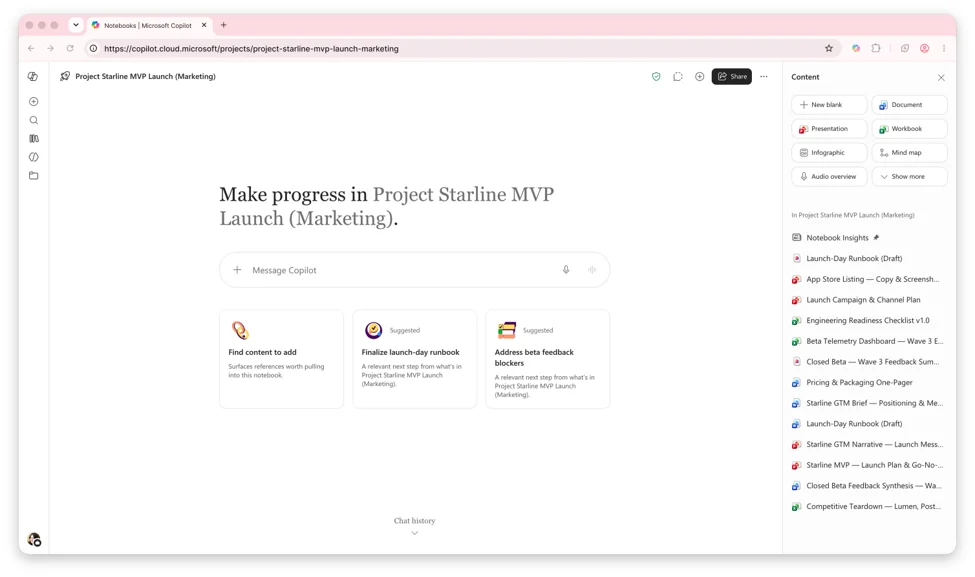
Microsoft is giving Copilot Notebooks more work to do inside the project workspace. Its October update, revised on October 12, describes task delegation, model choice, direct Office editing and interactive reports. Several of these features are available in the Frontier preview now, while others are due in the coming weeks.
The immediate change is that a notebook can become a place to act on its references. Users can ask Copilot to find and add relevant project material, synthesize information or create and edit a single file. A prompt can stay within the notebook’s sources or expand to work and web context. Model choice also lets users select a supported GPT model or ask for deeper reasoning.
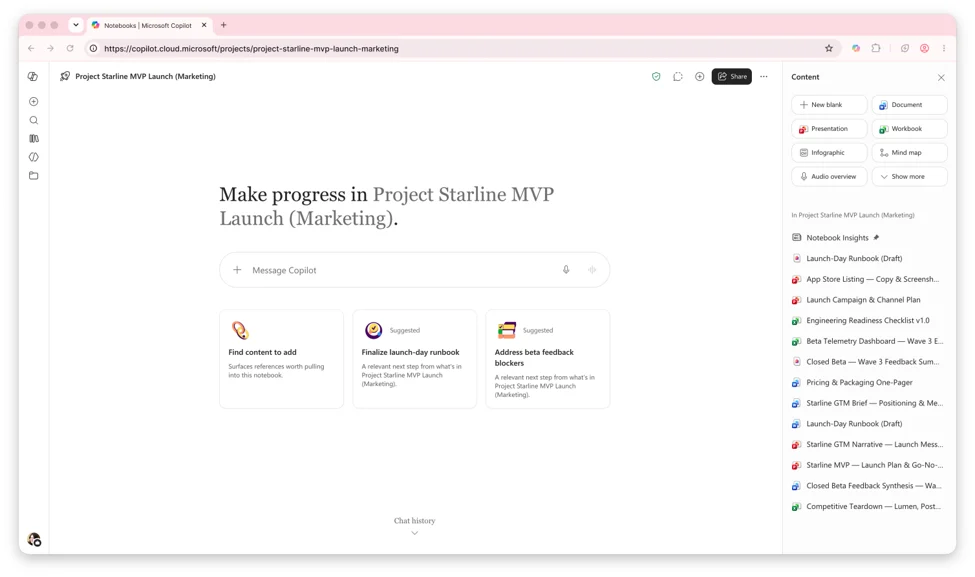
Image credit: Microsoft.
Editing the deliverable
Office editing is a substantial part of that workflow. Microsoft’s separate Office announcement describes creating, editing and collaborating on Word documents, Excel workbooks and PowerPoint presentations inside Copilot. Files remain in OneDrive, with comments, sharing permissions and version history carried along. That should make it easier to keep working on the same deliverable as a discussion turns into a draft and then into team edits.
What is available now
Task delegation, model choice, Office editing, interactive reports and PDF creation are available in Frontier. Prompt-based notebook setup, recurring automations and refreshed audio overviews will follow in the coming weeks. An automated daily briefing is therefore an upcoming example.
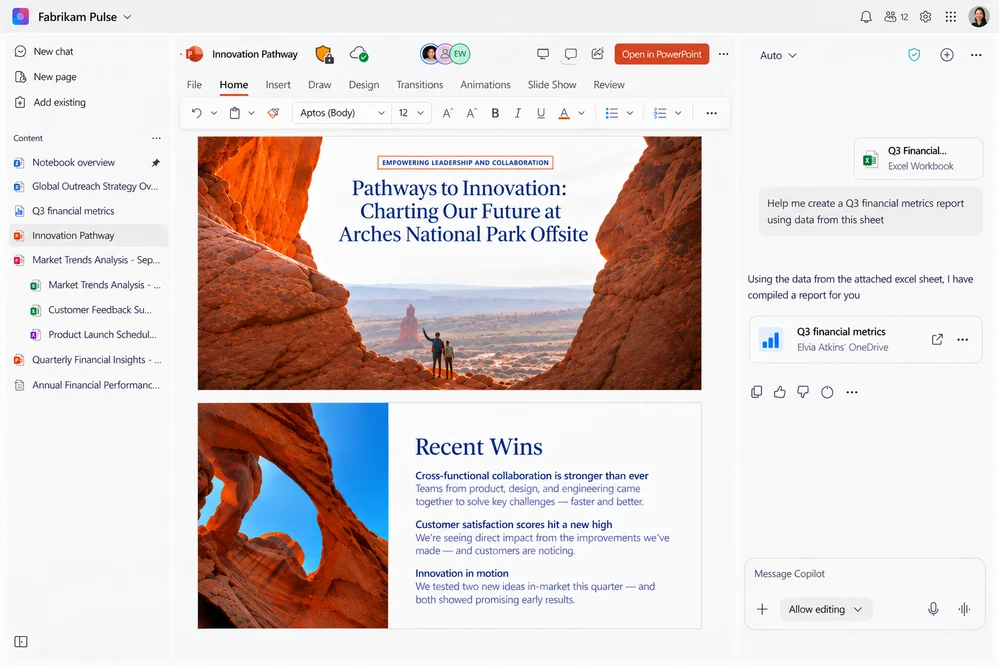
Image credit: Microsoft.
Some useful groundwork is already generally available. Notebooks accepts Markdown, plain-text and rich-text references, a capability covered in Microsoft’s earlier file-support announcement. That allows project documentation and logs to sit alongside more conventional documents. Frontier itself is an early-access program; business users should check their Copilot license and their organization’s enrollment. Microsoft says access and usage-based costs vary by feature and subscription.
For teams trying the preview, a useful starting point is one report made from project references. Review its sources, inspect the file changes and check whether colleagues can continue editing it. The announcement describes the workflow; it does not establish how reliably it will handle your own documents.


No comments yet