Google Meet is adding AI routines that turn meeting notes into follow-up work. In an October 12 announcement, Google described two initial options powered by Gemini and Workspace Studio: draft a follow-up email in Gmail, or add action items to Google Tasks.
The rollout began on October 5 for both Rapid Release and Scheduled Release domains. Google calls it an extended rollout, so some accounts may wait longer than 15 days to see the controls.
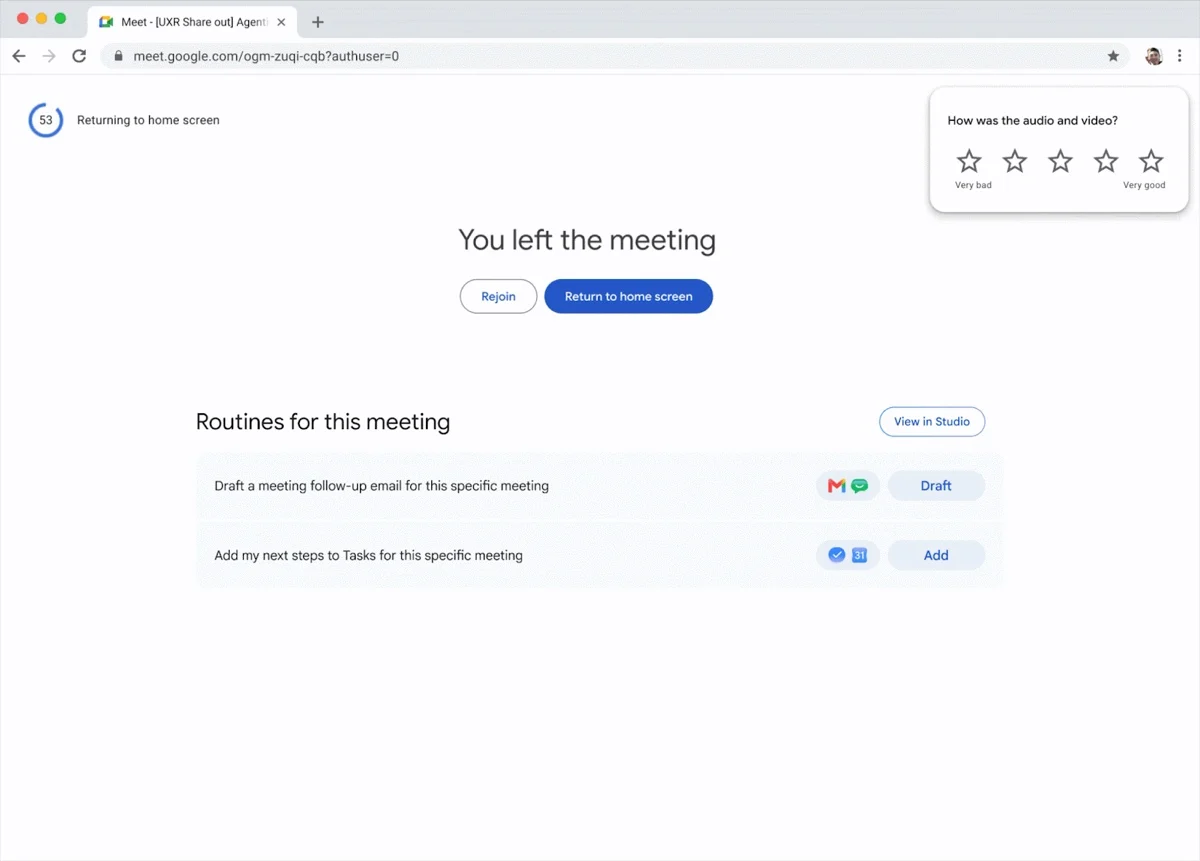
Image credit: Google.
What happens after the call
After a call, eligible users can enable an option in the “Routines for this meeting” section. The email option creates a draft; it does not mean Gemini sends the message for you. The Tasks option moves identified next steps into Google Tasks, reducing the copying that usually happens after a meeting.
Google’s Help Center lists several prerequisites. You need a computer, a meeting attached to a Google Calendar event, and Workspace smart features enabled. Both “Take notes for me” and “Ask Gemini” must be turned on during the meeting.
Email drafting has additional limits: you must be the host, the meeting must be outside a repeating series, and at least one participant must be outside your organization. Those restrictions are narrower than the announcement’s general description of routines for one-off and recurring meetings.
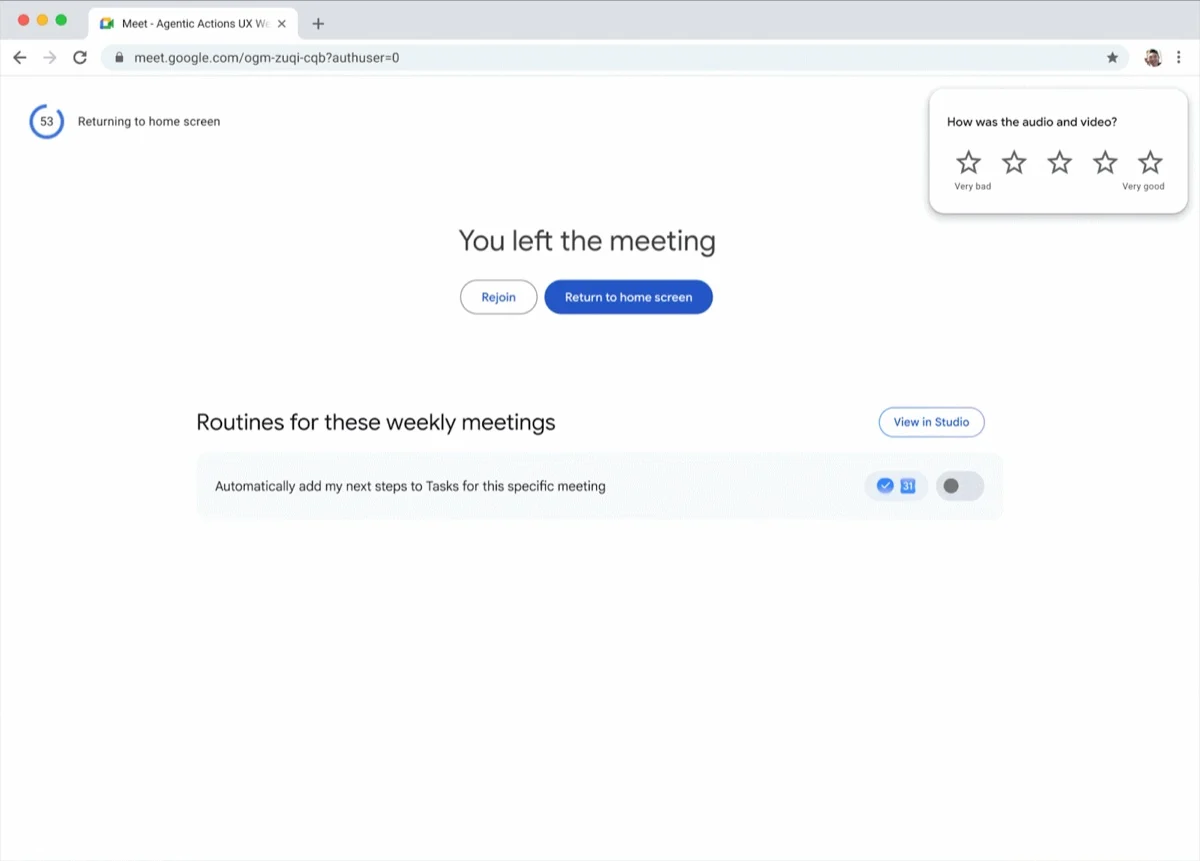
Image credit: Google.
The recurring-meeting demonstration shows a Tasks routine being enabled for weekly meetings. Once enabled, routines can be managed from Meet’s post-call screen or Workspace Studio’s Flows library. The Help Center also explains how to view their activity and turn them off.
Who gets the routines
The feature is on by default, with administrator controls through Workspace Studio or meeting-note settings. It is available for Business Standard and Plus, Enterprise Standard and Plus, and Google AI Pro for Education.
The useful change is the handoff: a meeting summary can become a draft message or a task list while the discussion is still fresh. Users still need to review the resulting work.


No comments yet